
The Minimal AI Creator Setup: What to Buy and What to Skip
Six pieces of gear that actually matter if you are starting to make AI content. One pick per category, the honest weaknesses, and what you can skip entirely.
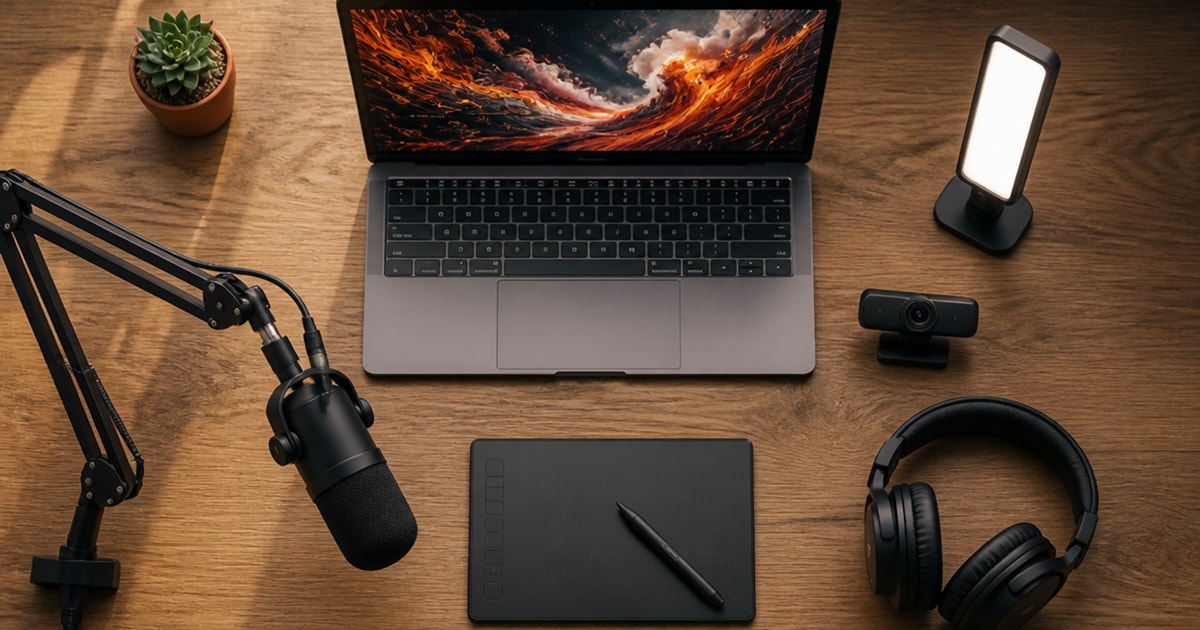
You can spend two thousand dollars on creator gear before you record a single clip, and most of it will not make your content better. This is the short version: the six things that actually change how your AI content looks and sounds, one pick per category, with a budget option and a step-up if you outgrow it.
I make AI image and video content on my own GPU, running models like FLUX 2 and Krea 2 for images and Wan and LTX for video, and I train my own open-source models too. I use a plain webcam for motion and facial expression transfer. So the webcam pick below is the one I actually use. The rest is what I would buy if I were starting today, with the real tradeoffs spelled out so you can decide what matters for your setup.
Microphone
Samson Q2U (about $50). It is a dynamic microphone, which matters more than the spec sheets suggest. A dynamic mic rejects room noise, where the popular Blue Yeti is a condenser that happily records your air conditioner and your neighbors. That single difference is why beginners so often hate how they sound on a Yeti.
The Q2U has both USB-C and XLR outputs. Plug it into your laptop today, and when you eventually upgrade to a real audio interface, the same mic comes with you. It ships as a full kit: stand, clips, foam windscreen, and both cables included.
The tradeoff: it is bulky, the industrial design is from 2012, and the desktop stand wobbles. Plan to put it on a boom arm or swap in a heavier stand.
Step up only if you are sure: the Shure MV7+ (about $250) is the current Shure podcast mic, the older MV7 is last generation, and it adds auto-leveling that hands you broadcast-clean voice without learning gain staging. Overkill for a first mic. Worth it once you know you will keep recording.
Webcam
Logitech C920x (about $60). I use a simple webcam like this one, and for the talking-head and screen-sharing parts of making AI content, it is all you need. It is the default for a reason: plug it in and you get clean 1080p with autofocus and dual mics that work in Zoom, OBS, Teams, and Discord with no driver drama on any operating system.
The honest ceiling: it is locked to 1080p at 30 frames per second, the field of view is narrow, and it falls apart in bad light. It is the reliable floor, not a flex.
When to spend more: the Logitech Brio 500 (about $130) fixes the two things that make a beginner stream look bad, bad room light and room echo, with auto exposure and noise cancellation. The Insta360 Link 2 (about $200) is the current Insta360 model and adds a larger sensor and gimbal tracking that follows you if you present standing or moving. For a seated creator, both are more than you need on day one.
Lighting
Elgato Key Light Mini (about $100). A heads-up before the pick: nearly every older gear list recommends the Elgato Key Light Air. Elgato discontinued it. The Key Light Mini is the current panel in that line, and it is the one to buy.
It gives soft, even, glare-free light that flatters your face on camera, runs on a rechargeable battery so there is no power cable across your desk, and lets you dial color temperature and brightness from an app or a Stream Deck. The tradeoff: it tops out at 800 lumens, the old Air pushed 1400, so it lights one person close up rather than a whole room, and the mounting clamp is sold separately.
On a tight budget: a 10.5-inch desktop ring light (about $35) gets you most of the result for a third of the price. The catch is color accuracy and a wobbly plastic stand, but for a clean face on a video call or a short clip, it does the job.
Headphones
Sony MDR-7506 (about $100). This is the closed-back monitoring headphone studios have used for thirty-plus years, and nothing has displaced it at the price. The point is not that they sound exciting. The point is that they sound honest: you hear what your voiceover, podcast edit, or video mix actually sounds like, with no bass boost hiding the problems.
The tradeoff: they look like 1991 because they are 1991. The coiled cable is permanently attached, and the faux-leather earpads flake after a couple of years. They are replaceable, but it is a recurring cost.
One honest note: if you only want to listen and never edit or mix, skip these and buy whatever comfortable headphones you already like. These are for hearing the truth about your audio, not for enjoying it.
Drawing tablet (only if you touch up AI art)
Wacom Intuos Small (about $78, Bluetooth). This is the one category you can skip entirely if it does not apply to you. It earns a spot only if you clean up AI images: masking, inpainting strokes, small edits before you print or post. For that workflow, the Wacom pen needs no battery and never charges. Pick it up and it works.
The tradeoff: the active area is small, it is pen-only with no screen, and you draw on the pad while looking up at your monitor, which takes practice if you have never used a non-display tablet.
More area for less money: the XPPen Deco 01 V3 (about $55) gives you a larger drawing surface for less, with a battery-free stylus, but the driver software and pen feel are a tier below Wacom’s, and it is wired only.
Boom arm
Rode PSA1 (about $90). This sounds like an accessory, and it is the biggest quality-of-life upgrade on the list. A boom arm gets the microphone off your desk and out of your face, which means cleaner framing on your webcam, less desk vibration in the recording, and your desk back. The PSA1 is the long-standing default because it holds a Q2U or an MV7+ at any angle without drooping and ships with both a desk clamp and an in-desk mount.
The tradeoff: the springs are exposed and it can creak a little over time. If looks matter, the newer PSA1+ hides the springs and adds cable management for a bit more money.
If you are choosing between this and a laptop stand, take the boom arm. You can fix a bad laptop height with a stack of books. You cannot fix a microphone in your face.
What to skip
A short list of things the gear industry will happily sell you that you probably do not need yet.
A green screen. Your webcam app already does background blur. Skip the green screen until you are keying footage in a real editor.
A 4K webcam. Resolution is not what makes a beginner video look bad. Light and audio are. Stay at 1080p until you are publishing video where someone can actually tell the difference.
A pro audio interface. The USB mic handles the input. Add an interface only when you outgrow the XLR path on the Q2U.
A Stream Deck. Useful once you are running a real show. Noise, not signal, on day one.
Gaming headphones. For editing you want a flat, honest response, not boosted bass. The Sony monitoring cans above cost less and tell you the truth.
How I would actually put it together
You do not need all six. Buy for the kind of content you make.
If you are making AI art: a tablet for cleanup, a decent monitor, and the webcam for sharing your screen. The microphone barely matters.
If you are doing voice or voiceover work: the microphone, a boom arm, and the headphones. The webcam is optional.
If you are streaming your AI workflow to YouTube or Twitch: the webcam, the microphone, and a light. That minimal three is enough to look and sound like you know what you are doing, and it comes in well under $250.
The trap with creator gear is buying the full kit before you have made anything. Pick the two or three items that map to what you actually make, use them until you hit a wall, and only then upgrade. The gear above is enough to produce real content. Everything else can wait.
The one-paragraph version: start with the Samson Q2U and the C920x webcam, add light only if your room is dark, and grab the Sony headphones the moment you start editing audio. Skip the rest until it stops you.