The Best Free AI Image Generators for Beginners (2026)
The honest 2026 map of free AI image generators for beginners. Which ones actually work, which ones pay this site, and why the best free pick earns us nothing.
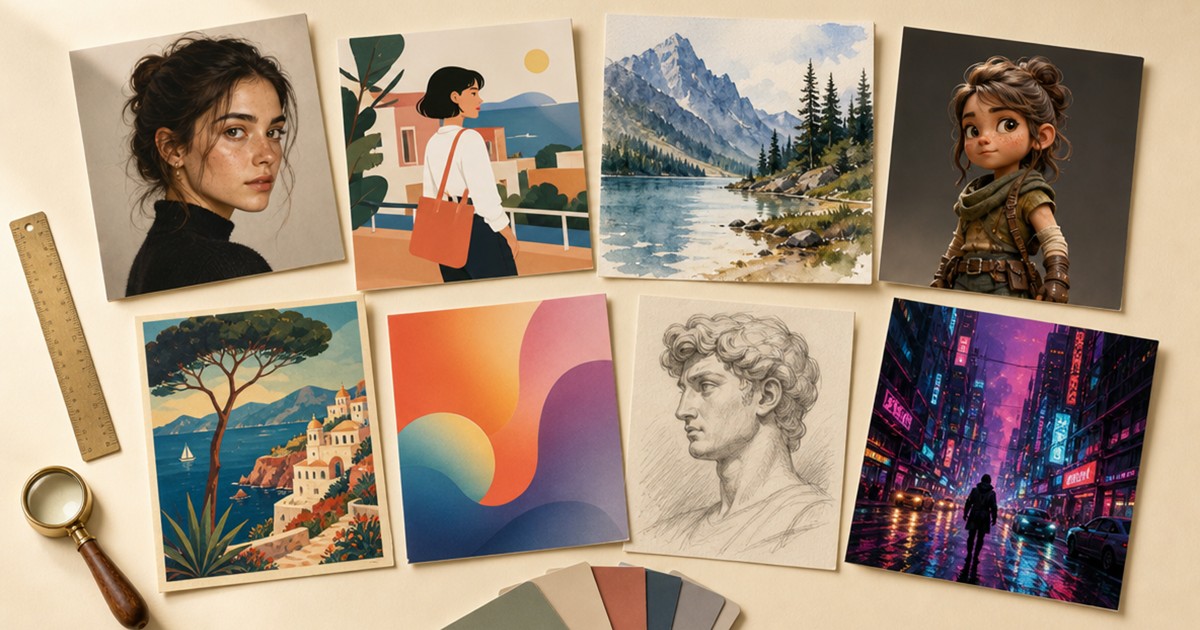
Most “best free AI image generator” lists are stale before you finish reading them. They still recommend DALL-E 3, which OpenAI retired in May 2026. They still list Grok as a free option, which stopped being free in March. And most of them quietly rank the tools that pay the writer first, then pretend those are the best free options for you.
I am not going to do that. Here is the actual situation in mid-2026: the two best free image generators have no affiliate programs at all. Two design suites with image generation bolted on do have affiliate programs, but the link on only one of them earns this site anything right now. I will tell you which is which, separately, and let you decide.
A line on me so you know this is not a scraped rewrite: I spend my working hours in this. I run FLUX 2 (the best open image model available right now) and Krea 2 on my own GPU, and I train my own image models. So I know what these tools are doing under the hood, and I know which ones a beginner can actually open and use without bouncing off a wall of jargon. The FLUX 2 question gets its own section near the end, because it is the one everyone asks and the answer tends to surprise people.
The quick verdict
If you will not read the whole thing, here is the short version.
For free images with no fuss, Google Gemini (running the Nano Banana 2 model) is the safest pick. A generous daily allowance, good results from plain English, and it lives inside a chat you may already use.
If you want the image inside a flyer, a slide, or a social post, use Canva. The image tool is one feature of a full design app, and that is the point.
If you need images you can use for paying client work or a business, Adobe Firefly is the safest legal choice. It is trained on licensed and public-domain images rather than the open internet.
If the image has to contain readable words (a poster, a logo, a sign), Ideogram is the specialist.
A note on what pays this site, because hiding it would make me the kind of list I am telling you to stop trusting. Canva runs an affiliate program and pays me a commission if you go Pro through the link here. Adobe has a program too, but the link here is not an affiliate link, so it earns the site nothing. Gemini, ChatGPT images, and Ideogram do not have affiliate programs at all. I have included the four that pay me nothing anyway, because leaving them out to protect the one that pays would make this a worse and less honest list. That trade is the whole reason this site exists.
How I compared them
Six things actually matter when you are picking a free image generator, and price is only one of them.
Free-tier generosity. Some tools give you a fixed number of images a day. Others hand you tokens that spend differently depending on quality or size, which is a way of making the number look bigger than it is. Daily resets beat weekly ones for casual use.
Prompt-to-result ease. How much do you have to know about writing prompts to get a good first image? This separates the tools a beginner can use on day one from the ones that reward a course in prompt engineering.
Style range. Can it do photorealism, illustration, and design, or is it good at one and bad at the others?
Commercial-use rights. This is the column most lists skip, and it is the one that gets people in trouble. Some free generators are personal-use only. One makes your free images public by default. If you ever want to use the image for your business, a client, or anything that earns money, you need to know this before you generate, not after.
Editing and iteration. Can you fix one detail without starting over? Multi-turn editing is the difference between a tool you use twice and a tool you keep open.
Whether it connects to a workflow. Image generation inside a design app or a chat is worth more than the same quality in a standalone tool you have to leave in order to do anything with the result.
Google Gemini (Nano Banana 2): best free overall
Gemini’s image generation runs on a model called Nano Banana 2 (the name is silly, the results are not). You get roughly twenty free images a day at up to 1K resolution on the standard model, and around two on the higher-quality Nano Banana Pro tier. No tokens to manage, no credits to count. You type a sentence in plain English inside the same Gemini chat you may already use, and an image comes back.
The case for it: it follows plain-English instructions unusually well, so a beginner who types “a golden retriever in a knitted sweater, sitting on a porch in autumn” gets something close to that on the first try. The daily allowance resets every day, which is the friendliest free structure for someone who generates a few images at a time rather than in big bursts.
The tradeoffs. Every image carries a SynthID invisible watermark and C2PA provenance metadata, which marks it as AI-generated. That is good for honesty and relevant if a platform or client asks where the image came from. Prompt adherence can miss small details on complex requests. Commercial use is allowed under Google’s terms, but read them, because “allowed” comes with conditions.
It pays this site nothing. There is no Gemini affiliate program. It goes first anyway, because it is the best free option and pretending otherwise would be the exact thing this site exists to avoid.
Price: free up to about twenty images a day. Paid tiers start at $4.99 a month if you outgrow the allowance.
Canva Magic Media: best inside a design
Canva is a design app first and an image generator second, and that ordering is why it earns a spot here. If your goal is a finished thing (a flyer, an Instagram post, a slide, a worksheet), generating the image inside Canva skips the whole awkward step of making an image in one tab, downloading it, uploading it somewhere else, and sizing it onto a layout.
The free tier gives you around fifty generation credits a month inside Magic Media, which is enough to learn on and tight enough that you will feel it. Pro is $12.99 a month and unlocks the rest of Canva along with more generations. For a non-designer who needs to ship actual assets, that bundle is the best value on this list.
The tradeoffs. Canva’s image quality and text rendering sit a tier below Ideogram and ChatGPT images. If you need crisp readable words inside the generated image, make that part elsewhere and bring it into Canva. And the free credit pool is monthly rather than daily, so one productive afternoon can empty it.
Canva runs the Canvassador affiliate program through Impact.com. If you start a Pro subscription through the link here, this site earns a commission (either a flat fee or 30 percent recurring, depending on the program terms at the time). That does not change the ranking. Canva is here because it is genuinely the best tool for people who need a finished design rather than a raw image.
Adobe Firefly: best for commercial safety
Adobe Firefly is the pick when the image is going anywhere near money: a client deliverable, a product page, a business social account, a paid newsletter. It is trained on Adobe Stock images and public-domain work, not by scraping the open internet. That training set matters because it gives Firefly the cleanest copyright story of any generator on this list, and Adobe will indemnify paying customers against IP claims. Emphasis on paying. The indemnification is not part of the free tier.
The free tier is thin, a small one-time bucket of generative credits that expires in a month if you do not use them. The Standard plan is $9.99 a month for 2,000 credits. Firefly’s real strength shows up inside Photoshop and Express (Generative Fill, Generative Expand), where it stops being a text-to-image toy and becomes an editing tool you reach for on real work.
The tradeoff. As a pure type-a-prompt-get-a-picture tool, Firefly is hit and miss. It is the safest pick, not always the most impressive one. If you want a free image for fun, Gemini is better. If you want an image you can put in a client deck without lying awake about rights, Firefly is the one.
Adobe runs an affiliate program through Partnerize. The link here is a plain link, not an affiliate one, so it earns the site nothing. Same ranking rule as Canva. Firefly sits here on merit, and the commercial-safety angle is real whether or not the link pays. If that changes, I will update this line.
Ideogram: best for text in images
Most image generators are illiterate. Ask them for an image of a sign that reads “Open Saturdays” and you get something that looks like words from across the room and resolves into nonsense up close. Ideogram is the one that can actually spell.
The free tier gives you ten slow credits a week, roughly forty images, with queue times that can stretch past twenty minutes when the service is busy. Paid plans start around $7 to $20 a month and remove the wait. Commercial use is allowed on the free tier, with one exception for training competitors that will not affect a normal user.
The tradeoffs. Credits are weekly rather than daily, which is annoying if you generate every day. Your free generations are public by default, so treat them as visible to others unless you change the setting. And there is no open affiliate program. A Creators Club exists but is invite-only, so this pick pays the site nothing.
Use Ideogram when the image has words in it. Use something else for everything else.
ChatGPT images (GPT Image 2): best for conversational iteration
Inside ChatGPT, the image model is called GPT Image 2. It launched in April 2026 and is the replacement for the retired DALL-E 3, which is why any list still telling you to use DALL-E 3 is out of date. The thing it does better than anything else here is let you talk the image into existence. “Make the dog bigger.” “Now make it sunset.” “Give the dog a hat.” Each turn edits the last result, which is the kindest interface for a beginner who does not know how to specify everything up front.
The free allowance is tight, around two to three images a day, which is why this is not the overall pick despite being arguably the most beginner-friendly tool when you do get a turn. Paid plans run from $8 a month (ChatGPT Go) up to $20 (Plus).
No affiliate program. It is included because the conversational editing model is genuinely the easiest way for a non-technical person to arrive at exactly the image they want, one tweak at a time. No other tool on this list does it as naturally.
What to skip
Leonardo AI. For over a year it had one of the most generous affiliate programs in the category, 60 percent of the first month through Impact, and most lists still recommend it on that basis. Leonardo closed the affiliate program on April 7, 2026, and the major listicles have not caught up. It still works as a tool (150 free tokens a day), but two things to know: free images are public by default, and Leonardo was acquired by Canva in 2024, so its future as a separate product is an open question. If a list puts Leonardo first and never mentions the closure, that list is stale.
Midjourney. The artistic-quality benchmark, and the one every photography-leaning user wants to love. But there is no free tier. The cheapest plan is $10 a month, so it does not belong on a “best free” list at all. It also defaults to public output and is fighting an ongoing copyright lawsuit from Disney, Universal, and Warner. There has never been a Midjourney affiliate program.
Grok image generation. Went paid in March 2026. Several lists still describe it as free. It is not.
Bing Image Creator. Tempting because it is zero friction, fifteen fast generations a day with slower ones after, and no separate signup beyond a Microsoft account. But free Bing images are explicitly non-commercial, personal use only, and they are watermarked at 1024x1024. Fine for a laugh. Not fine for anything you publish for a business. If you have seen a list claim Bing allows commercial use, that list is wrong.
Any tool that tells you to run Stable Diffusion or FLUX 2 “for free” locally. True in theory, misleading in practice. See the next section.
Should you just run FLUX 2 yourself?
I run FLUX 2 and Krea 2 on a 4090 GPU and train my own image models, so I am exactly the person the “just run it locally, it is free” advice is usually aimed at. Here is the honest version.
FLUX 2 is the best open image model in the world right now. It is genuinely free if you have the hardware. The catch is the hardware. To run it at a quality that beats the hosted tools above, you need a graphics card with 24 gigabytes of VRAM (an RTX 4090 or 3090), which is a $1,000 to $2,000 purchase used, before you count the rest of the computer. You also need to be comfortable in a command line, installing Python packages, managing model weights that are several gigabytes each, and troubleshooting when a dependency breaks. None of this is impossible. All of it is a hobby in itself.
The lists that push FLUX 2 or Stable Diffusion at beginners usually point them at art-community sites like Civitai, Tensor.Art, or NightCafe, which host the models behind confusing model-selection screens and a lot of not-safe-for-work content. Those sites are real tools for people who already know what they are doing. They are not a beginner on-ramp.
So: if you are a non-technical person who wants to make images, use Gemini or Canva. If you turn into the kind of person who enjoys the command line and wants to own the whole pipeline, come back to FLUX 2, and bring a 4090. I did not start on FLUX 2, and you should not either.
How to choose by what you actually make
You do not need more than one or two of these.
If you want free images for fun, posts, or personal projects: Gemini. The daily allowance and plain-English prompting make it the lowest-friction start.
If you want finished designs like flyers, social posts, slides, or worksheets: Canva. Generate inside the layout and skip the import-export dance.
If you want anything for a client, a product, or a business: Adobe Firefly, for the rights story. Pay for it when the image is going to earn money.
If you want images with readable words in them: Ideogram. Use it for that one job and a different tool for the rest.
If you want to talk your way to the image: ChatGPT images, when your free turns allow it.
The honest meta-advice. Start with Gemini because it is free and good. The day you hit a wall (you need it inside a design, you need commercial safety, you need words), graduate to the specialist for that one job. Most people never need more than two of these tools, and the people who tell you to sign up for all five are usually the ones getting paid when you do.
A note on the paid tiers
Every paid tier here is month to month. If you are testing whether one of these earns a place in your workflow, start the subscription, use it hard for two or three weeks, and cancel before the renewal if it does not. A prepaid card from your bank keeps the trial tidy and stops a recurring charge from sneaking up on you later. This is the same advice I would give a friend, because subscriptions you forget about are how these companies actually make their money.